Super Cool Game/App Launcher!!!
Organize your Steam titles, retro emulation games, and apps in one pretty cool, glassmorphic UI. It uses auto-metadata scraping, cloud save sync, and a native mod workshop (kinda). Now on Windows and Linux!
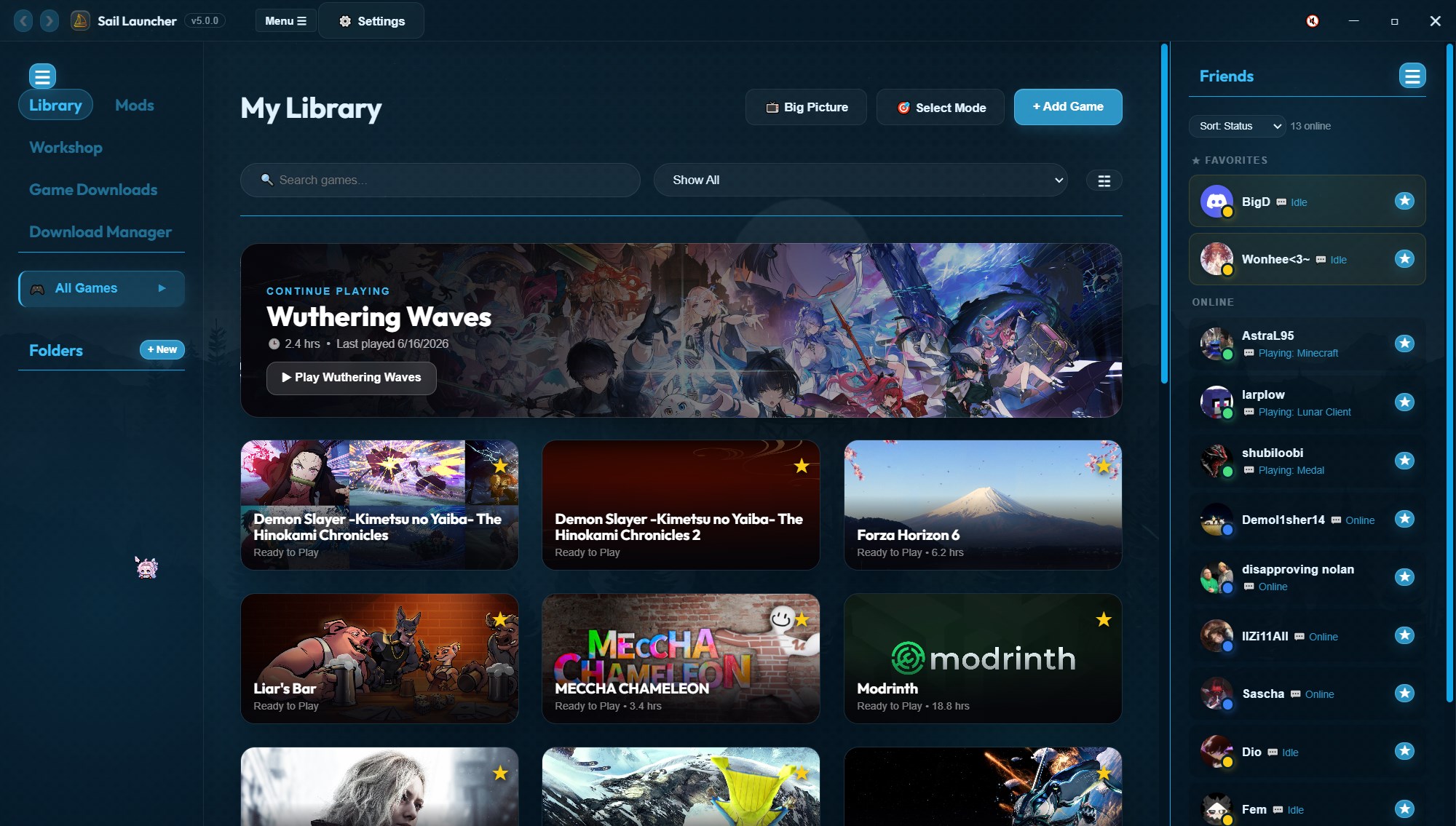
Organize your Steam titles, retro emulation games, and apps in one pretty cool, glassmorphic UI. It uses auto-metadata scraping, cloud save sync, and a native mod workshop (kinda). Now on Windows and Linux!
An open-source game/app manager with script/mod support, and cloud services with a pretty yummy design.
Automatically imports your Steam library with 1 click. Fetches cover photos, banners, and descriptions, and supports retro emulator systems with custom parameters.
Direct API integration for backing up and restoring save files with Google Drive, OneDrive, or Dropbox. Auto-syncs launcher configurations. Tokens are encrypted using Electron's native safeStorage.
Sail runs on Linux as a .deb, .rpm or AppImage. Windows games run through Proton, native Linux games just launch. Cloud save providers and the Maintenance Center aren't on Linux yet.
An in-app browser interface for community mods. Downloads files anonymously from SteamCMD and extracts `.zip`, `.rar`, and `.7z` folders automatically into your game directories (please work).
It has a frosted glass ui with custom spring animations, background waves, pulse, or rippling flows. Personalize tile shapes (Squircle, Pill, Circle) and select from 10+ built in themes, you can also use a seperate ui from an older version of the launcher.
Automate companion programs (trainers, overlay screens, Discord) and trigger custom Batch (`.bat`) or PowerShell (`.ps1`) scripts that run on game launch and end on closure events.
Broadcast active gaming states, playtime, and graphics to friends. Link your favorite modding and cataloging websites to navigate them smoothly inside the launcher's built-in web container.
Manage downloads directly inside Sail Launcher with pause, resume, retry, speed limits, archive extraction, and automatic library importing when an install finishes.
Rearrange the launcher with a live visual editor. Drag, resize, and reposition elements, rename labels, build gradients, and apply custom animations across multiple pages.
Plugins can have a settings window and be turned on and off without restarting sail. Library Layouts is the first big one, it makes sail look like steam's library.
Scan your library for broken installs, missing files, changed content, and save issues, then review repairs, snapshots, cleanup tools, and privacy-safe diagnostic reports.